Tether Check

Tired of Windows lying about your tethering status?
Tether Check is ideal for Windows laptop users who tether their computer to their phone or dongle. Tether Check will keep you notified about your phone's real internet connection status so you can get the most out of your mobile internet connection.
About
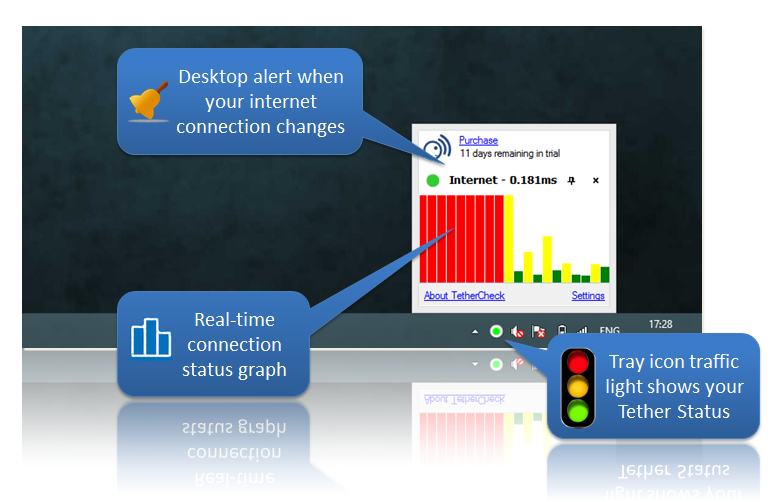
If you tether your mobile phone's 3G or 4G internet connection to your laptop, you'll be aware of the frustration when you suddenly lose phone reception and your internet drops out.
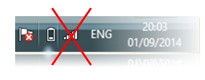
You know you can't trust the Windows network tray icon as it just tells you the connection strength between your computer and your phone. So you end up constantly pressing F5 to refresh your web page in the hope that you get back into an area with network coverage.
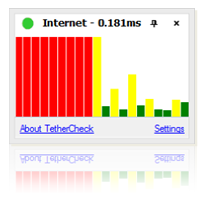
Things are different if you have Tether Check installed. When your phone's connection is dropped and restored, a Tether Check alert will let you know you can start work or refresh that web page, saving you time and making you more productive.
Features
- Reports on actual connectivity, not just wifi status
- Sits quietly in the Windows system tray monitoring your tethered / wifi / ethernet connection
- Will alert you when there's a major change to your connection, eg you have lost internet
- Will let you know once connection has been restored so you can continue your work
- Supports configurable semi-transparent popup
- Multiple methods for checking connectivity - Ping and DNS
Compatibility
iPhone / iOS
Android
Windows Phone
BlackBerry
The Tether Check app runs on Windows laptops and desktops, but can monitor the status of all tethering mobile phone devices including iPhone, Android, Windows Phone, Blackberry, etc. Tether Check is a fantastically simple solution to a very common problem for today's tethered laptop users.
Tether Check is also perfect if you use 3G/4G dongles or even if you use conventional broadband and have a poor connection that you want to monitor.
Download
Tether Check is trivial to install and is available to download with a 14 day free trial. Just click the link below, run the install package and Tether Check will be ready and working. No configuration required.
| Operating System | 32-bit - v1.0.5 | 64-bit - v1.0.5 |
|---|---|---|
| Windows 10 | Download | Download |
| Windows 8.1 | Download | Download |
| Windows 8 | Download | Download |
| Windows 7 | Download | Download |
Purchase
Purchase Tether Check on-line now to continue using it past the 14-day trial period. After you have completed your purchase in PayPal you will receive a unique license code that you can enter into the Tether Check settings window to register your copy.
| Quantity | Price (GBP) | Price (EUR) | Price (USD) |
|---|---|---|---|
| 1 User License | £2.99 | €3.49 | $3.99 |
| 5 User License | £9.99 | €11.99 | $12.99 |
Please contact us to arrange purchase.